Real Estate Virtual Assistants: A Practical Guide
What a real estate virtual assistant can handle, from transaction coordination to CRM upkeep, and how agents and property teams can get started.
By Jesel Cura3 min read
Real estate runs on responsiveness. Leads expect quick replies, transactions have hard deadlines, and clients want to know what's happening at every step. For many agents and property teams, the admin behind all of that competes directly with the work that actually closes deals.
A real estate virtual assistant takes on that admin so agents can spend more time with clients. Here's what the role can cover and how to set it up well.
What a real estate virtual assistant can handle
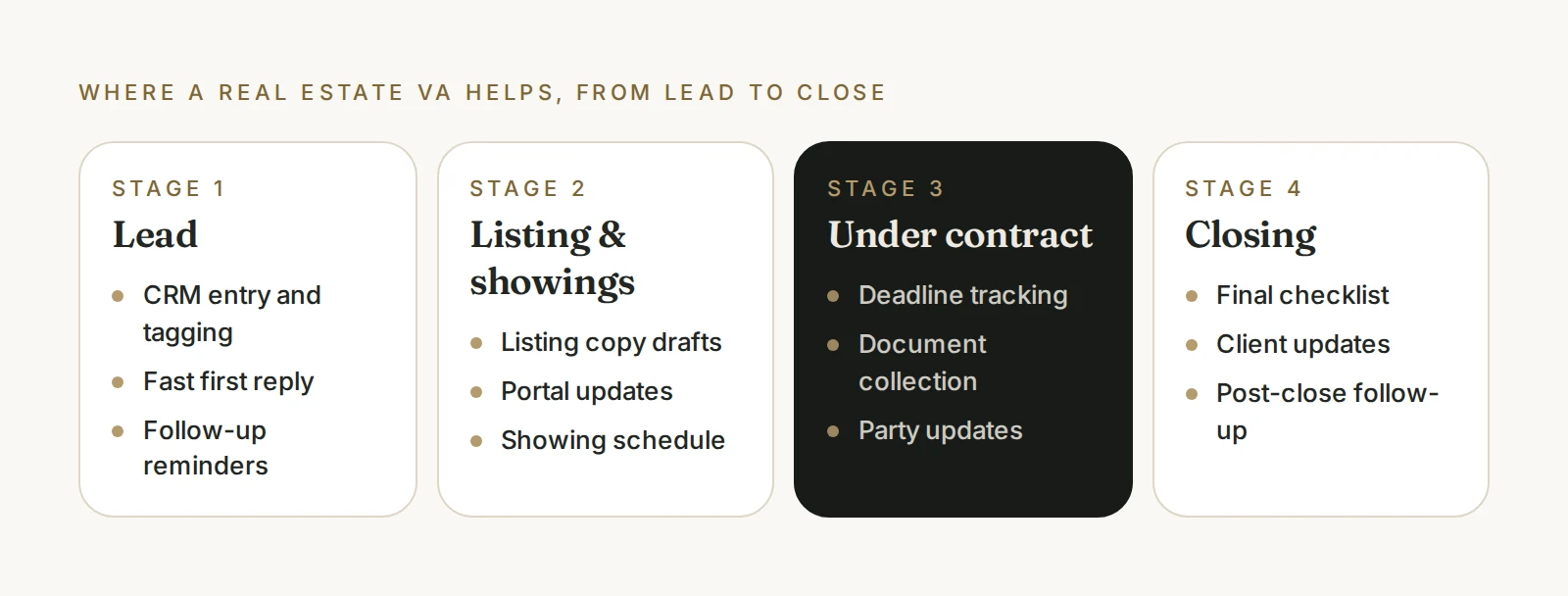
Transaction coordination
Keeping deals on track from contract to close:
- Tracking key dates and contingency deadlines
- Collecting and organizing documents
- Sending updates to clients, lenders, and other agents
- Maintaining a checklist for every transaction
Your team keeps the approvals and client judgment. Your assistant keeps the process moving.
CRM and lead management
A CRM only helps if it's current:
- Entering new leads with consistent details and sources
- Tagging and segmenting contacts
- Updating pipeline stages after calls and showings
- Setting follow-up reminders so no lead goes cold
We go deeper on this in CRM administration.
Listing administration
- Drafting listing descriptions for your review
- Organizing photos and property details
- Updating listings across portals
- Preparing flyers and property summaries
Scheduling
- Booking showings, inspections, and appraisals
- Coordinating calendars across clients and vendors
- Sending confirmations and reminders
Property management support
For property managers and landlords:
- Logging tenant inquiries and maintenance requests
- Coordinating with vendors on repairs
- Sending routine tenant communication
- Preparing owner reports for your review
Getting started: four steps
1. Pick your first responsibilities
Choose two or three areas that take the most time, such as CRM updates and showing scheduling. Expand once those run smoothly.
2. Document your transaction checklist
If your team doesn't have a written checklist from contract to close, create one. It becomes the backbone of transaction coordination. Our guide to documenting repetitive processes shows a simple way to do it.
3. Set up access carefully
Give access only to the tools each responsibility needs, such as your CRM, calendar, and document storage. Use delegated access instead of shared passwords where possible.
4. Agree on communication rules
Decide what your assistant can send on their own, what needs approval, and how urgent issues reach you. Clear rules protect client relationships.
Protecting client information
Real estate involves sensitive personal and financial information. Good practice includes:
- Limiting access to what each role needs
- Using secure document storage rather than email attachments
- Clear rules about what information can be shared and with whom
Is it time for a real estate virtual assistant?
Consider support if:
- Leads wait too long for a first reply
- You're tracking deadlines in your head or on sticky notes
- CRM data is out of date or incomplete
- Admin fills the hours you'd rather spend with clients
For more signs, see when should a founder hire a virtual assistant.
How SageStone supports real estate teams
SageStone provides dedicated support for agents, brokerages, and property teams, covering transaction coordination, CRM upkeep, scheduling, and admin, with oversight that keeps quality consistent. Learn more about our real estate support, or book a discovery call.