How to Document Repetitive Processes So You Can Delegate Them
A step-by-step method for turning the work in your head into clear SOPs that anyone on your team, or your support partner, can follow.
By Jesel Cura3 min read
Most delegation fails for one quiet reason: the work was never written down. The person handing it over knows every step, exception, and shortcut, and the person receiving it gets a quick explanation and a hopeful "let me know if you have questions."
Standard operating procedures (SOPs) fix that. They don't need to be long or formal. They just need to be clear enough that someone else can do the work the way you would.
Here's a practical method you can use this week.
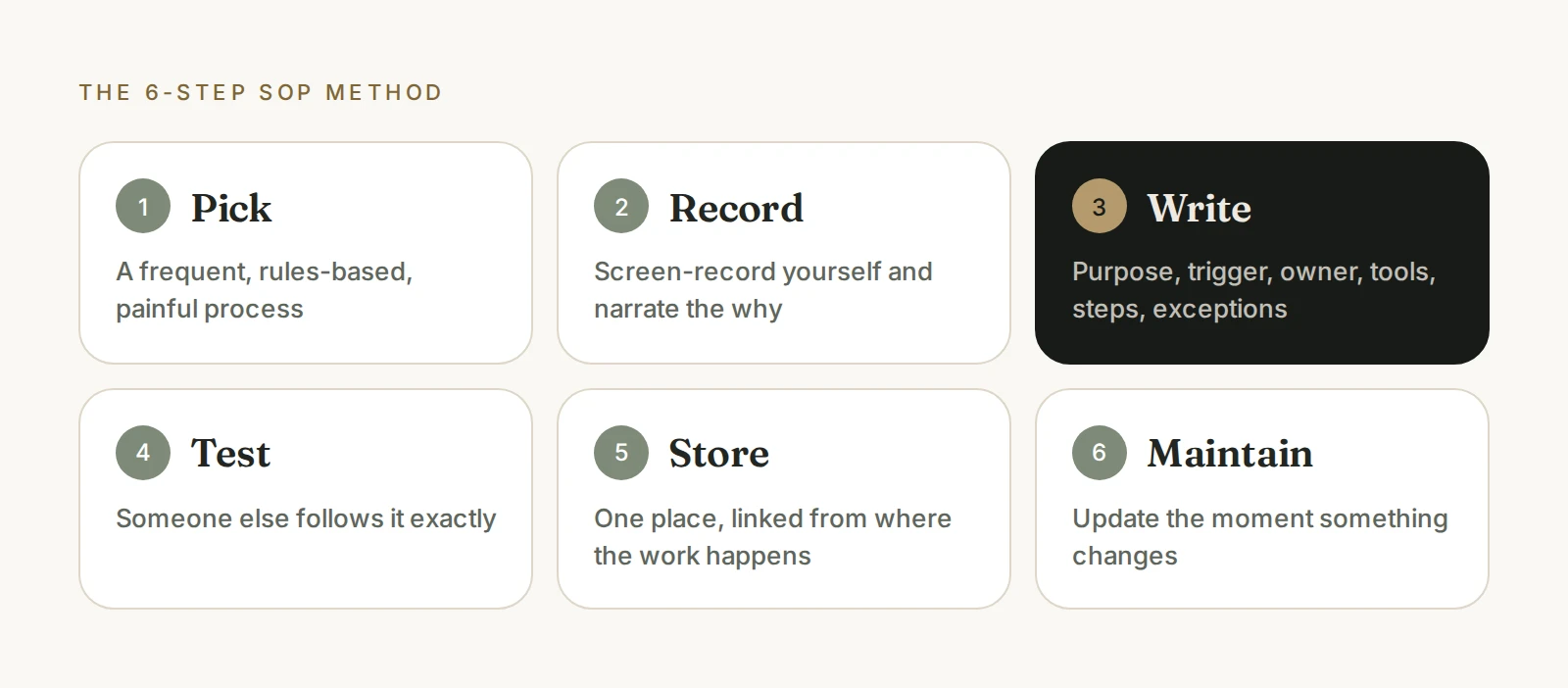
Step 1: Pick the right process to start with
Don't start by documenting everything. Start with a process that is:
- Repeated often, at least weekly
- Mostly rules-based, following the same steps each time
- Painful, because it eats time or causes mistakes when it's rushed
Good first candidates are client onboarding steps, order exceptions, weekly reporting, invoice follow-up, and CRM updates.
Step 2: Capture it while you do it
The fastest way to document a process is to record yourself doing it.
- Start a screen recording.
- Do the task as you normally would, narrating what you're doing and why.
- Mention the decisions you make along the way: "If the customer is on the annual plan, I do this instead."
A ten-minute recording captures more detail than an hour of trying to remember the steps from scratch.
Step 3: Turn the recording into steps
Now write the SOP. Keep this structure:
- Purpose: one sentence on why the process exists
- Trigger: what starts it ("A new order is flagged as delayed")
- Owner: who does it
- Tools: where the work happens
- Steps: numbered, one action per step, with screenshots where they help
- Exceptions: the "if this, then that" cases
- Done means: how to know it was completed correctly
Write each step as an instruction. "Open the order in the admin and check the fulfillment status" is better than "check the order."
Step 4: Test it with someone else
An SOP isn't finished until someone other than its author has used it.
Ask a teammate, or your assistant, to follow the document exactly while you watch or review the result. Every question they ask marks a gap. Fill it in the document, not just in conversation.
Step 5: Store it where the work happens
Documentation only helps if people can find it. Keep SOPs:
- In one place, not scattered across chats and email
- Named consistently, so they're easy to search
- Linked from the tools where the work happens, when possible
Step 6: Keep it alive
Processes change. Tools get updated, policies shift, and new exceptions appear. Build in a lightweight habit:
- Whoever notices a change updates the SOP right away.
- Review your most important SOPs on a regular schedule, such as quarterly.
- Add a "last updated" date so people know what to trust.
Common mistakes to avoid
- Writing a novel. If an SOP is too long to follow, split it into smaller procedures.
- Skipping the why. A sentence of context helps people make good calls when something unexpected happens.
- Documenting the ideal instead of the real. Capture how the work actually gets done today, then improve it.
- Treating it as a one-time project. Documentation that isn't maintained goes stale quickly.
From documentation to delegation
Once a process is documented, handing it off becomes straightforward. That's exactly why SageStone starts every engagement by capturing how the work gets done. Our workflow support and remote operations support teams can map and document your processes with you, then run them day to day.
If you'd rather hand off the documentation itself, see our SOP documentation service, or read what a virtual assistant can actually handle once your processes are written down.